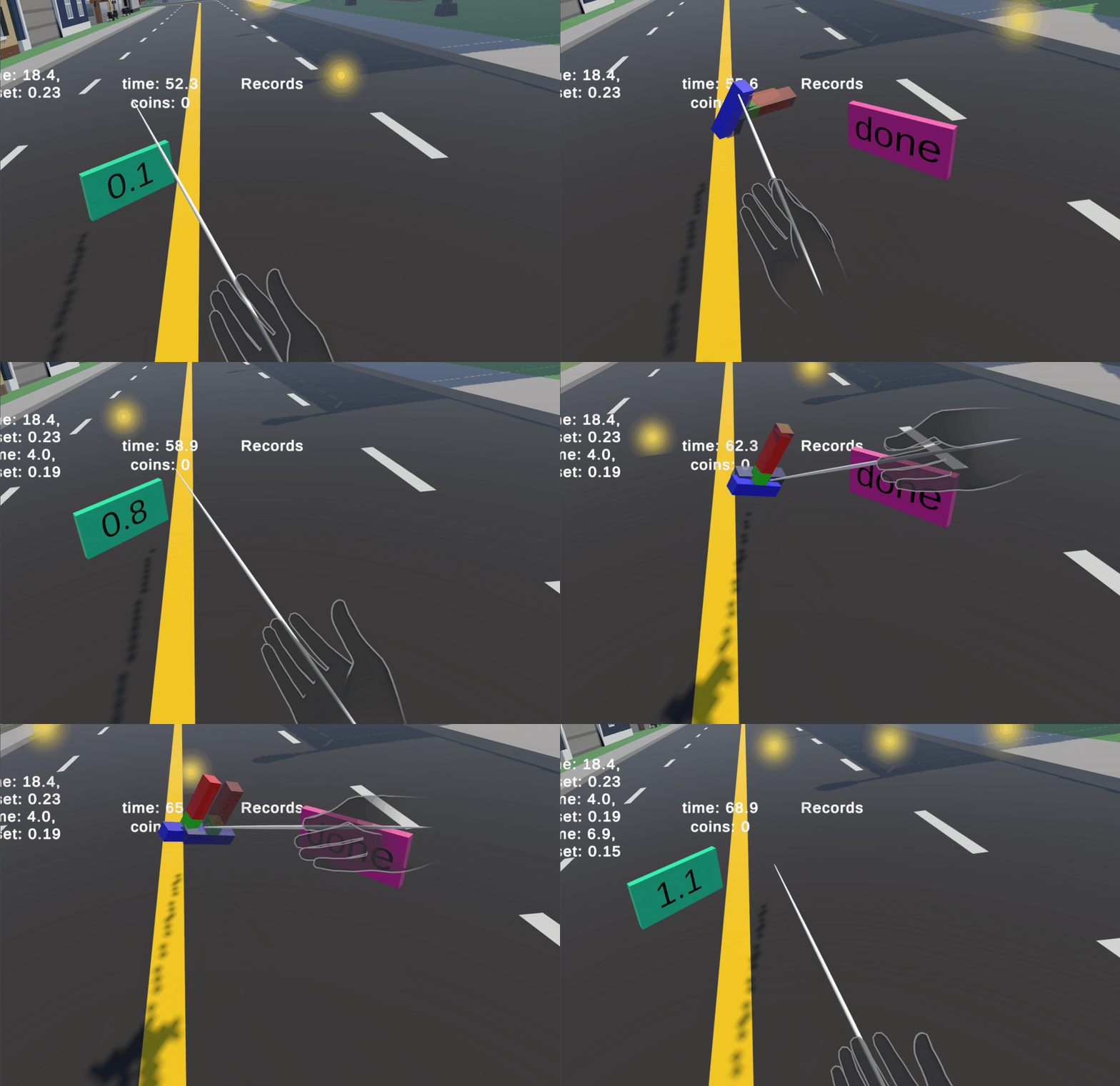
The player can now move around the map with just movements of their hand, but how can they interact with the required tasks? They need to be able to touch the start button, guide a shape to its correct orrientation, and then press the done button. Since we are already moving a giant hand, my first thought was to have that hand switch between a moving and interaction mode. The hand would always start in moving mode, but if the player flipped their hand so that their palm faced upwards, it would enter an interaction mode where it could press buttons and grab things.
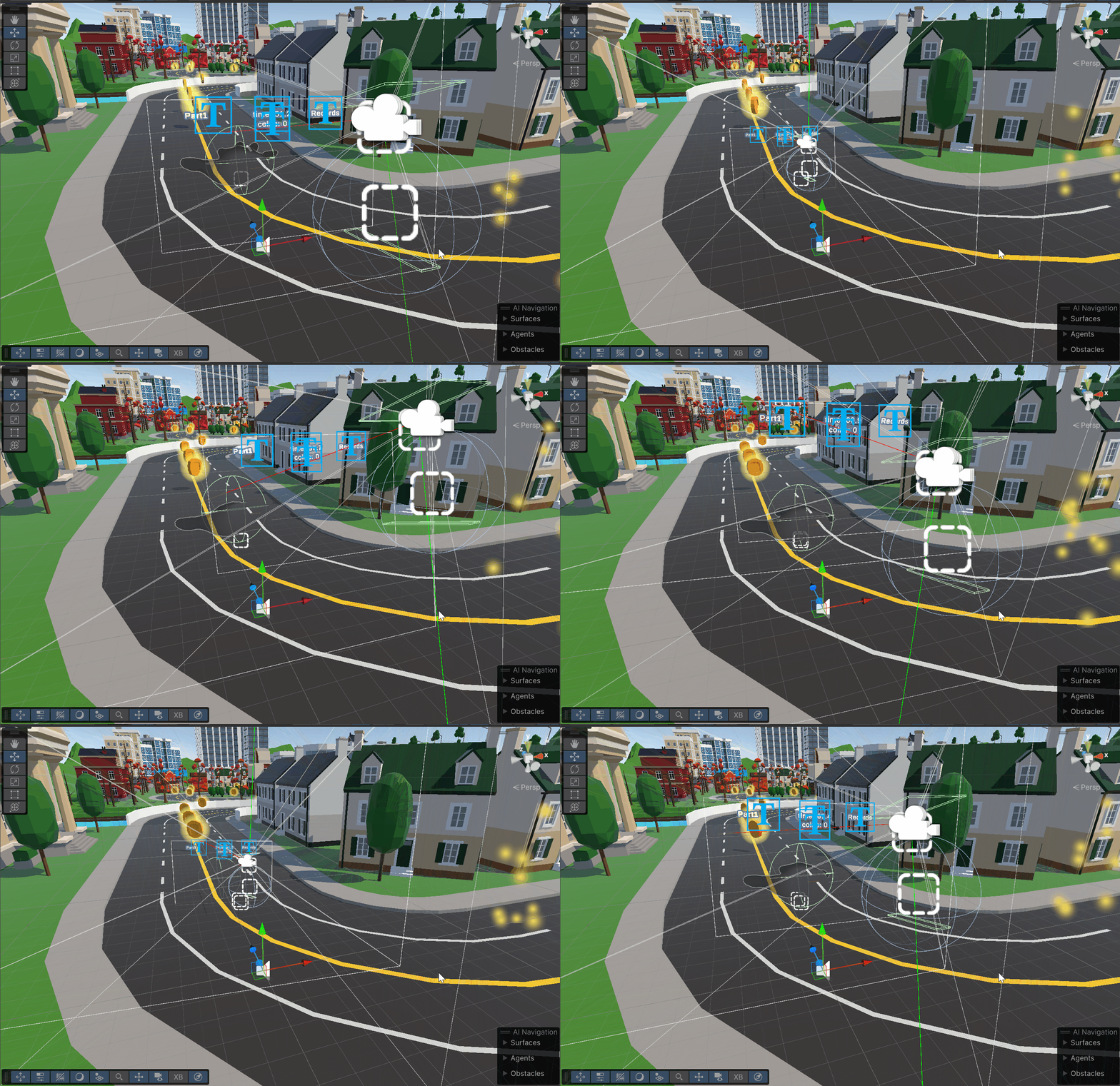
I first started on creating this mode switching functionality by creating another two colliders above and below where the players tracked hand is. From the hand’s palm I added a raycast, that works almost exactly like the raycast used for rotation. If the ray hits the upper trigger, the hand enters its interaction mode. And when the player points their palm back down and hits the lower trigger, they go back to the moving mode:
 if (Physics.Raycast(ray, out hit, 100f, triggerLayer))
 {
     if (hit.collider.CompareTag("SelectionTrigger"))
     {
         if (currentMode != LocomotionMode.Selection)
         {
             hand.SetActive(false);
             ovrRigTransform.position = hand.transform.position + new Vector3(0f,-0.6f, 0f);
             currentMode = LocomotionMode.Selection;
             if (selectionObject != null)
                 selectionObject.SetActive(true);
             Debug.Log("Selection Mode Activated");
         }
     }
     else if (hit.collider.CompareTag("MovingTrigger"))
     {
         if (currentMode != LocomotionMode.Moving && myGrab.isSelected != true)
         {
             hand.SetActive(true);
             currentMode = LocomotionMode.Moving;
             hand.transform.rotation = Quaternion.Euler(0, hand.transform.rotation.eulerAngles.y, hand.transform.rotation.eulerAngles.z);
             if (selectionObject != null)
                 selectionObject.SetActive(false);
             Debug.Log("Moving Mode Activated");
         }
     }
 }
Here you can get a better idea of the collision triggers and how the ray interacts with them.
For the first version of this interaction mode, I had the moving hand be what you would use to interact with the task, but I had trouble refining its movement and ability to actualy grab and select things. Here you can see that the hand would just touch the buttons instantly and skip past the tasks.
I then decided that I would deactivate the large hand when you enter selection mode, and teleport the camera rig to where the hand was.
While in this state, the player would be able to see a long pole coming out of their right hand, and that pole allows the player to press the buttons and grab objects:
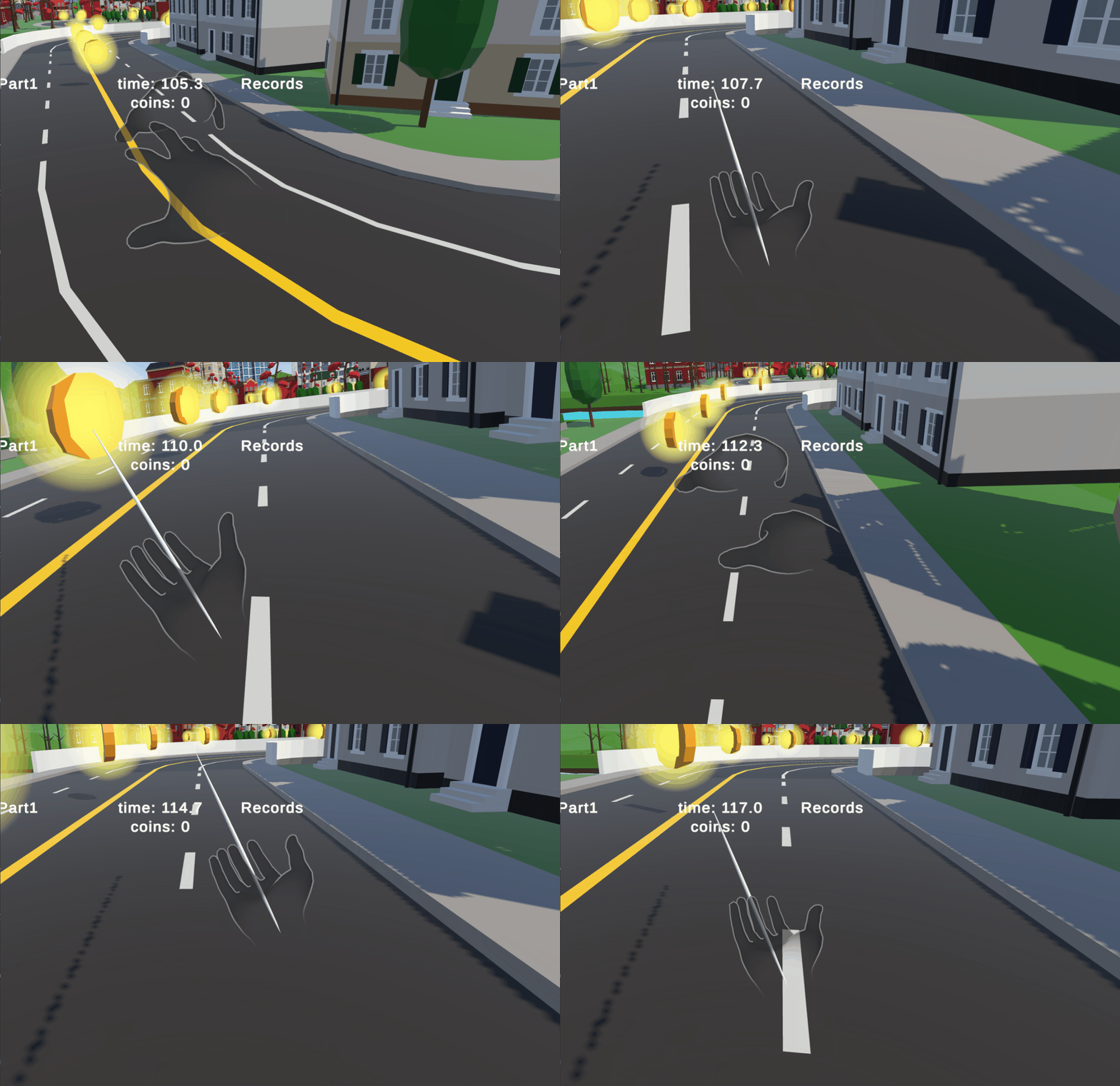
Because of these new modes that the hand could be in, I had to go back to some of the previous methods and have them only work while in moving mode, as I didn’t want the player to be rotating while trying to do the interaction tasks. Or have the large hand somehow walk away while they were doing a task.
In order to actually grab and interact with the tasks, I had to modify the MyGrab script that was already included in the parcour to work with the interaction mode. The code that checked when an object entered a trigger collider was moved to a new script called triggerHandler, which would call to myGrab and feed it the object that the player is interacting with. I had to do this because I was having trouble with selected objects not actually following the correct parent or even detecting that something was interacting with them. The problem was that the game object that handles a players hand is layered in a way that the top most parent object doesn’t move exactly with the players real hand, so I had to go down a few layers and attach the script to the correct child. With the game now actually detecting that the hand is trying to interact with something, I needed to be able to move the objects. The OVRHand can automatically detect when a player is pinching their fingers, so I had it that when a player pinched their fingers on an object, it sets that object to be a child of the hand, and thus moves it with the hand.
if (locomotionTechnique != null && locomotionTechnique.currentMode == LocomotionTechnique.LocomotionMode.Selection)
{
    if (isInCollider && selectedObj != null)
    {
        if (!isSelected && hand.GetFingerIsPinching(OVRHand.HandFinger.Index))
        {
            isSelected = true;
            selectedObj.transform.SetParent(anchor.transform, true);
        }
        else if (isSelected && !hand.GetFingerIsPinching(OVRHand.HandFinger.Index))
        {
            isSelected = false;
            selectedObj.transform.SetParent(null, true);
        }
    }
}
Here you can see me trying to orient an object in the correct direction. My hands are fairly shakey so I have a hard time getting it correct, but that is also a flaw with my implementation. The raw hand tracking isn’t fine enough to use, and I needed to smooth it out more.
You can enter move mode and get closer then go back to interaction mode, which helps a bit in getting it correct. But it is still possible to reorient an object in any way, you just need to grab the object from different angles and distances.