<?xml version="1.0" encoding="utf-8"?><feed xmlns="http://www.w3.org/2005/Atom" ><generator uri="https://jekyllrb.com/" version="3.10.0">Jekyll</generator><link href="https://samforrestb.github.io//feed.xml" rel="self" type="application/atom+xml" /><link href="https://samforrestb.github.io//" rel="alternate" type="text/html" /><updated>2025-03-26T20:47:03+00:00</updated><id>https://samforrestb.github.io//feed.xml</id><title type="html">IVRAR Project</title><subtitle>A game about remotely piloting a hand</subtitle><author><name>Samuel Brooks</name></author><entry><title type="html">Closing Thoughts and Remarks</title><link href="https://samforrestb.github.io//Closing-Thoughts-and-Remarks/" rel="alternate" type="text/html" title="Closing Thoughts and Remarks" /><published>2025-02-02T00:00:00+00:00</published><updated>2025-02-02T00:00:00+00:00</updated><id>https://samforrestb.github.io//Closing-Thoughts-and-Remarks</id><content type="html" xml:base="https://samforrestb.github.io//Closing-Thoughts-and-Remarks/"><![CDATA[<p>This project was a great learning experience for stepping into the basics of VR development within Unity. 
From how the playtesters managed the course, I also think I succeeded in creating an intuitive one-handed system of interaction. Players were able to run the course with no outside help, and successfully did every feature within the game, although it definetly needs some refining for its visuals and object interaction.  I encountered a lot of difficulties in trying to get my original vision of a fully physics based movement, and then with actually getting the apk to work, but it was a learning experience on how the meta SDK works in Unity, when you should pivot and try new things, and how sometimes a simple implementation gets the same idea across. In the future, I plan on going back to my object interaction method and smoothing it out, hopefully eliminating the shakey hands issue that is present, but I also want to mess around with other forms of interaction and see what sticks. I’m looking forward to using what I learned in my next project, and already have some ideas for future VR games!</p>]]></content><author><name>Samuel Brooks</name></author><category term="Project" /><category term="IVRAR" /><category term="Computer Science" /><summary type="html"><![CDATA[This project was a great learning experience for stepping into the basics of VR development within Unity.]]></summary></entry><entry><title type="html">Live Testing</title><link href="https://samforrestb.github.io//Live-Testing/" rel="alternate" type="text/html" title="Live Testing" /><published>2025-02-01T00:00:00+00:00</published><updated>2025-02-01T00:00:00+00:00</updated><id>https://samforrestb.github.io//Live-Testing</id><content type="html" xml:base="https://samforrestb.github.io//Live-Testing/"><![CDATA[<p>With a basic interaction method, its time to get some live feedback.
I was able to get three people to try out the locomotion technique: My friends Caden and Thomas, and my roomate Sally.
Caden was the only one who had some familiarity with VR applications, having reguarly played on the Quest 2, while Thomas and Sally both had next to no experience interacting with VR.</p>

<p>For my testing I wanted to test three things: How fast a player is able to perform each feature in the game without being told how to do it, How players react to the interaction task, and How long it takes them to complete the course.
I would sit each player down and instruct them on how to open the application, and told them that while they are playing they should speak their thoughts out loud. 
I then would explain that you can move around the course with your hand, and that their goal would be to collect coins, complete the interaction task before every banner, and reach the finish line.</p>

<h3 id="caden">Caden</h3>

<p>Caden was the first tester, and he managed to complete the course in 10 minutes and 37 seconds. 
After he started the application, it took him only 1 second to learn how to rotate the hand, as he looked left and right once the game started. 
He was a little surprised to be rotating at first, but caught on and begun moving the hand forward after about 0:10.
Caden made sure to grab every coin he could for the first part of the course, and looked to be moving fairly rapidly throgh it also.
When he came to the first interaction task, he almost ran right through it, but stopped and turned around once he saw the buttons appear. 
He tried to run into them at first, but when that didn’t work he tried using his left hand.
Seeing that his left hand didn’t work, he went back to trying his right, and then flipped it, triggering the mode change at 1:52.
He started the task, pointed towards the object, and grabbed it at 2:10.
He had some trouble with the first object as he was getting used to grabbing and moving, and accidentally skipped the third object by pressing done, but in the end he completed the first interaction task by 4:03.
The rest of the course was what I expected, but when he reached the floating coins, he did an almost perfect jump at 7:51.
I was very surprised as he hadn’t done a single jump the entire time, and he managed to get almost every coin in the arc of the jump.
After he finished, his biggest complaint was how shakey the object grabbing and moving was, and that it you could accidentally have your hand over the done button and skip an object, but otherwise he said he liked moving around and how you could jump.</p>

<h3 id="thomas">Thomas</h3>

<p>Thomas was able to complete the course in 9 minutes and 41 seconds.
Like Caden, he rotated the hand within the first 5 seconds, and then begun moving forward at 0:13.
As he was moving to collect coins, he accidentally triggered a jump at 0:39, and was very surprised to suddenly be in the air.
He then begun to try and trigger another jump, and spent some time jumping in the air.
He continued to collect the final bit of coins and reached the interaction task, and changed to the interaction mode at 1:40.
Thomas grabbed the first object at 2:20, but didn’t try to perfectly allign the objects like Caden attempted, and finished the interaction task at 3:28.
After he passed through the banner, he continued collecting coins and jumping around, but accidentlly gained too much speed and zoomed past the second interaction task and into the banner, which got rid of the task.
He asked if he needed to restart but I told him it was fine, and he continued but went noticeably slower through the final leg of the course.
When he reached the last interaction task, he tried to align the objects to the best of his ability, but was having difficulties moving it to the correct angle.
His final thoughts were again that moving objects was a hassle with how much you have to move if you want to get it in the correct position, and that rotating is a little too fast for him.</p>

<h3 id="sally">Sally</h3>

<p>Our final tester, Sally completed the course after 11 minutes and 23 seconds.
Once the game started, she rotated the hand after 0:03, looking around the environment like Caden did.
She found that rotating was making her a little dizzy, but claimed that because she was sitting down it wasn’t so bad.
She began moving at the 0:16, following the coins, but said that moving the hand was tiring.
She grabbed her wrist, and triggered the interaction mode at 0:50.
She was suprised at first, but quickly changed back to moving mode, and then spent some time switching between the two modes.
Once she reached the first interaction task, she changed modes and begun working on the first object, but was a bit too far away from the object. She then accidentally swiped over the done button, moving her to the next object.
She switched modes to get a bit closer to the task, and then grabbed the second object at 2:51. She carefully aligned the objects and finished the interaction task at 4:29.
She continued through the course, going for every coin she could, and when she came to an interaction task she would align the objects to the best of her ability.
She would move around, both in-game and in the real world, and approach the objects from different angles to get them in the best position possible.
After completing the second interaction task and going down the hill, she noticed the floating coins and stopped right before the beginning of the arc.
She then attempted to jump by lifting her hand rapidly, then tried again by fanning her fingers out, but her fingers were not in the jump collider before so it didn’t work.
She tried again with her hand beginning in a fist, and this time it triggered a jump at 8:54. She spent some time perfecting her technique, and then begun collecting the floating coins.
She didn’t get them all in one jump, as she had not built up enough speed going into the jump, but she managed to grab them all after 4 jumps.
After completing the final task and then the course, she said that it was a bit strenuous to keep moving your fingers to get around, but thought the movement system was fun.
Like the other playtesters, her biggest complaint was the challenge of aligning the objects for the task. She felt that it was too much effort while also being too shakey.</p>

<p>Overall, I was surprised on how fast the playtesters were able to get through the course with no prior knowledge of the game and its systems. As I thought, the interaction method would be the biggest complaint of the testers, but they all managed to change modes and grab objects without me guiding them, which was what I cared the most about. It was also interesting, but i guess also expected, that every playtester started rotating within the first 5 seconds of beginning the game. Its only natural to want to get your surroundings before beginning something. It was very fun to see them attempting the course, learning how they can move the fastest, interact, and grab things, but it was great seeing how once they learned something, they instantly adapted to it and begun utilizing it. I think that because they aren’t having to use a controller, and are purely interacting with the game through their hands, it somehow makes the system click faster within the players, but I would need more playtesters and a version with controllers to actually test that.</p>

<p>Here you can see me running through the course to get a better idea of what the playtesters went through.</p>
<iframe width="560" height="315" src="https://www.youtube.com/embed/AI5Q4c8LBNs?si=8UdZz_ZAx_tymn_o" title="YouTube video player" frameborder="0" allow="accelerometer; autoplay; clipboard-write; encrypted-media; gyroscope; picture-in-picture; web-share" referrerpolicy="strict-origin-when-cross-origin"> </iframe>]]></content><author><name>Samuel Brooks</name></author><category term="Project" /><category term="IVRAR" /><category term="Computer Science" /><summary type="html"><![CDATA[With a basic interaction method, its time to get some live feedback.]]></summary></entry><entry><title type="html">Implementation - The Interaction Task</title><link href="https://samforrestb.github.io//The-Interaction-Task/" rel="alternate" type="text/html" title="Implementation - The Interaction Task" /><published>2025-01-31T00:00:00+00:00</published><updated>2025-01-31T00:00:00+00:00</updated><id>https://samforrestb.github.io//The-Interaction-Task</id><content type="html" xml:base="https://samforrestb.github.io//The-Interaction-Task/"><![CDATA[<p>The player can now move around the map with just movements of their hand, but how can they interact with the required tasks?
They need to be able to touch the start button, guide a shape to its correct orrientation, and then press the done button. 
Since we are already moving a giant hand, my first thought was to have that hand switch between a moving and interaction mode.
The hand would always start in moving mode, but if the player flipped their hand so that their palm faced upwards, it would enter an interaction mode where it could press buttons and grab things.</p>

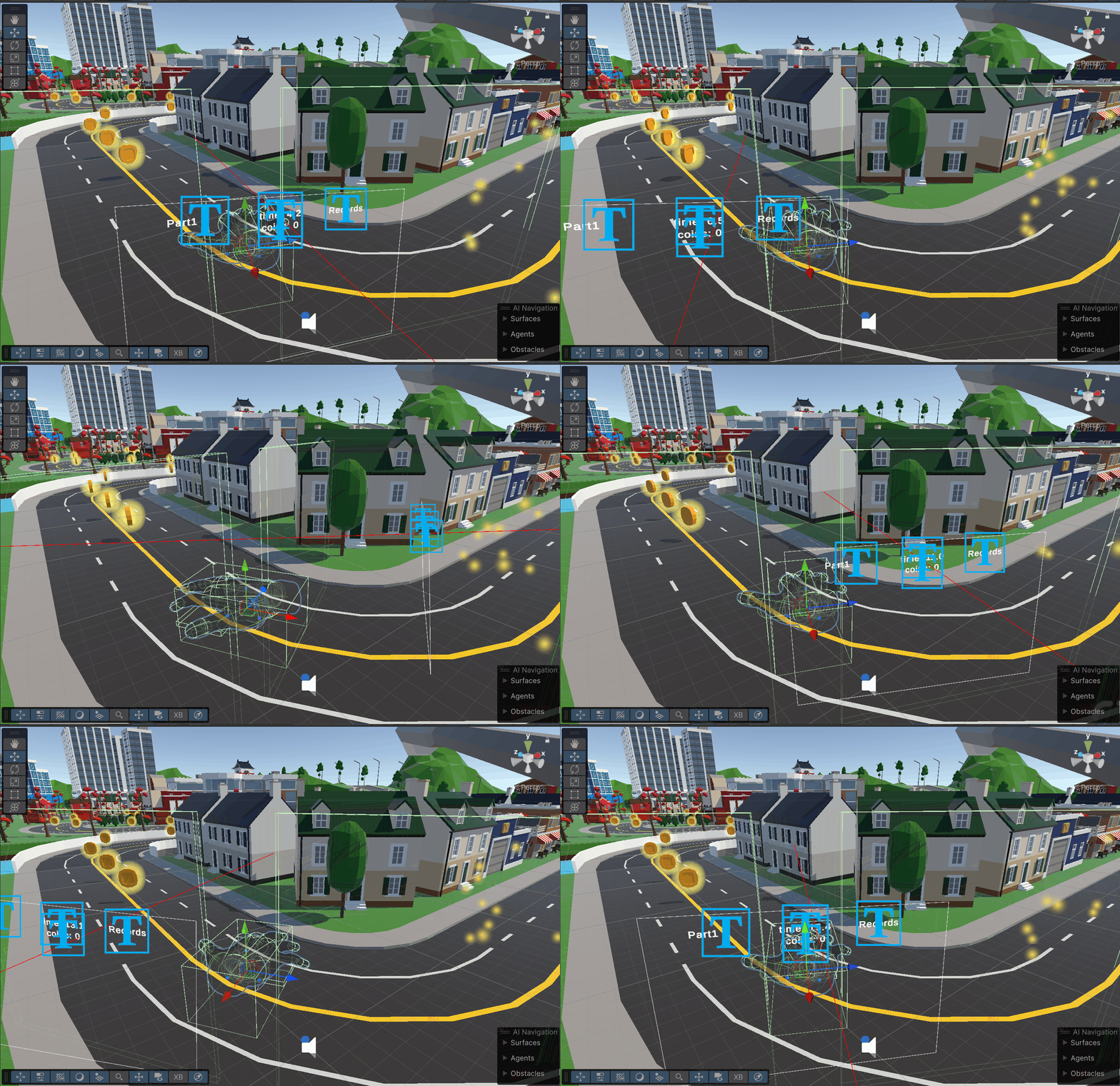
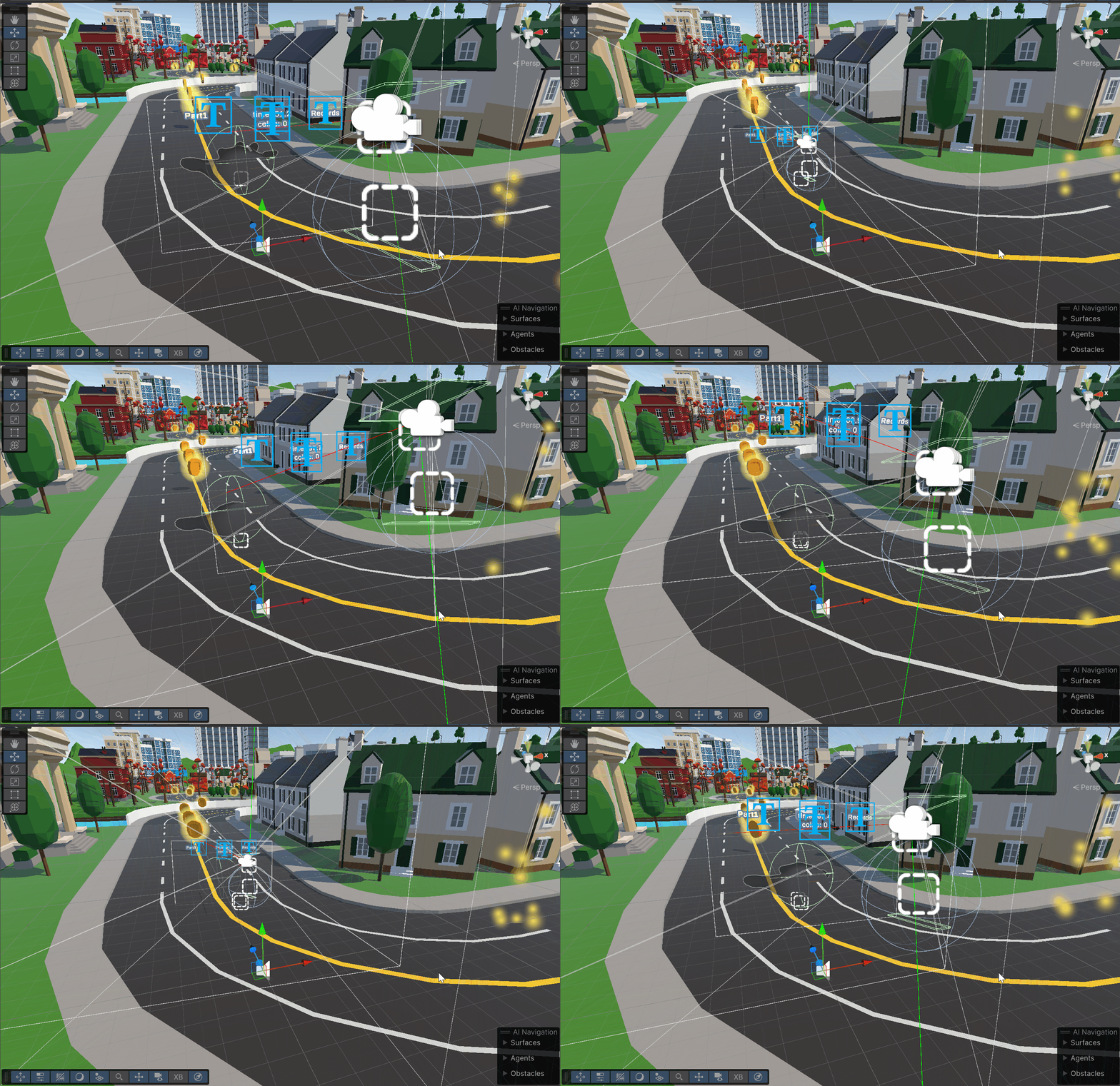
<p>I first started on creating this mode switching functionality by creating another two colliders above and below where the players tracked hand is. 
From the hand’s palm I added a raycast, that works almost exactly like the raycast used for rotation.
If the ray hits the upper trigger, the hand enters its interaction mode. And when the player points their palm back down and hits the lower trigger, they go back to the moving mode:</p>

<div class="language-cs highlighter-rouge"><div class="highlight"><pre class="highlight"><code> <span class="k">if</span> <span class="p">(</span><span class="n">Physics</span><span class="p">.</span><span class="nf">Raycast</span><span class="p">(</span><span class="n">ray</span><span class="p">,</span> <span class="k">out</span> <span class="n">hit</span><span class="p">,</span> <span class="m">100f</span><span class="p">,</span> <span class="n">triggerLayer</span><span class="p">))</span>
 <span class="p">{</span>
     <span class="k">if</span> <span class="p">(</span><span class="n">hit</span><span class="p">.</span><span class="n">collider</span><span class="p">.</span><span class="nf">CompareTag</span><span class="p">(</span><span class="s">"SelectionTrigger"</span><span class="p">))</span>
     <span class="p">{</span>
         <span class="k">if</span> <span class="p">(</span><span class="n">currentMode</span> <span class="p">!=</span> <span class="n">LocomotionMode</span><span class="p">.</span><span class="n">Selection</span><span class="p">)</span>
         <span class="p">{</span>
             <span class="n">hand</span><span class="p">.</span><span class="nf">SetActive</span><span class="p">(</span><span class="k">false</span><span class="p">);</span>
             <span class="n">ovrRigTransform</span><span class="p">.</span><span class="n">position</span> <span class="p">=</span> <span class="n">hand</span><span class="p">.</span><span class="n">transform</span><span class="p">.</span><span class="n">position</span> <span class="p">+</span> <span class="k">new</span> <span class="nf">Vector3</span><span class="p">(</span><span class="m">0f</span><span class="p">,-</span><span class="m">0.6f</span><span class="p">,</span> <span class="m">0f</span><span class="p">);</span>
             <span class="n">currentMode</span> <span class="p">=</span> <span class="n">LocomotionMode</span><span class="p">.</span><span class="n">Selection</span><span class="p">;</span>
             <span class="k">if</span> <span class="p">(</span><span class="n">selectionObject</span> <span class="p">!=</span> <span class="k">null</span><span class="p">)</span>
                 <span class="n">selectionObject</span><span class="p">.</span><span class="nf">SetActive</span><span class="p">(</span><span class="k">true</span><span class="p">);</span>
             <span class="n">Debug</span><span class="p">.</span><span class="nf">Log</span><span class="p">(</span><span class="s">"Selection Mode Activated"</span><span class="p">);</span>
         <span class="p">}</span>
     <span class="p">}</span>
     <span class="k">else</span> <span class="k">if</span> <span class="p">(</span><span class="n">hit</span><span class="p">.</span><span class="n">collider</span><span class="p">.</span><span class="nf">CompareTag</span><span class="p">(</span><span class="s">"MovingTrigger"</span><span class="p">))</span>
     <span class="p">{</span>
         <span class="k">if</span> <span class="p">(</span><span class="n">currentMode</span> <span class="p">!=</span> <span class="n">LocomotionMode</span><span class="p">.</span><span class="n">Moving</span> <span class="p">&amp;&amp;</span> <span class="n">myGrab</span><span class="p">.</span><span class="n">isSelected</span> <span class="p">!=</span> <span class="k">true</span><span class="p">)</span>
         <span class="p">{</span>
             <span class="n">hand</span><span class="p">.</span><span class="nf">SetActive</span><span class="p">(</span><span class="k">true</span><span class="p">);</span>
             <span class="n">currentMode</span> <span class="p">=</span> <span class="n">LocomotionMode</span><span class="p">.</span><span class="n">Moving</span><span class="p">;</span>
             <span class="n">hand</span><span class="p">.</span><span class="n">transform</span><span class="p">.</span><span class="n">rotation</span> <span class="p">=</span> <span class="n">Quaternion</span><span class="p">.</span><span class="nf">Euler</span><span class="p">(</span><span class="m">0</span><span class="p">,</span> <span class="n">hand</span><span class="p">.</span><span class="n">transform</span><span class="p">.</span><span class="n">rotation</span><span class="p">.</span><span class="n">eulerAngles</span><span class="p">.</span><span class="n">y</span><span class="p">,</span> <span class="n">hand</span><span class="p">.</span><span class="n">transform</span><span class="p">.</span><span class="n">rotation</span><span class="p">.</span><span class="n">eulerAngles</span><span class="p">.</span><span class="n">z</span><span class="p">);</span>
             <span class="k">if</span> <span class="p">(</span><span class="n">selectionObject</span> <span class="p">!=</span> <span class="k">null</span><span class="p">)</span>
                 <span class="n">selectionObject</span><span class="p">.</span><span class="nf">SetActive</span><span class="p">(</span><span class="k">false</span><span class="p">);</span>
             <span class="n">Debug</span><span class="p">.</span><span class="nf">Log</span><span class="p">(</span><span class="s">"Moving Mode Activated"</span><span class="p">);</span>
         <span class="p">}</span>
     <span class="p">}</span>
 <span class="p">}</span>
</code></pre></div></div>
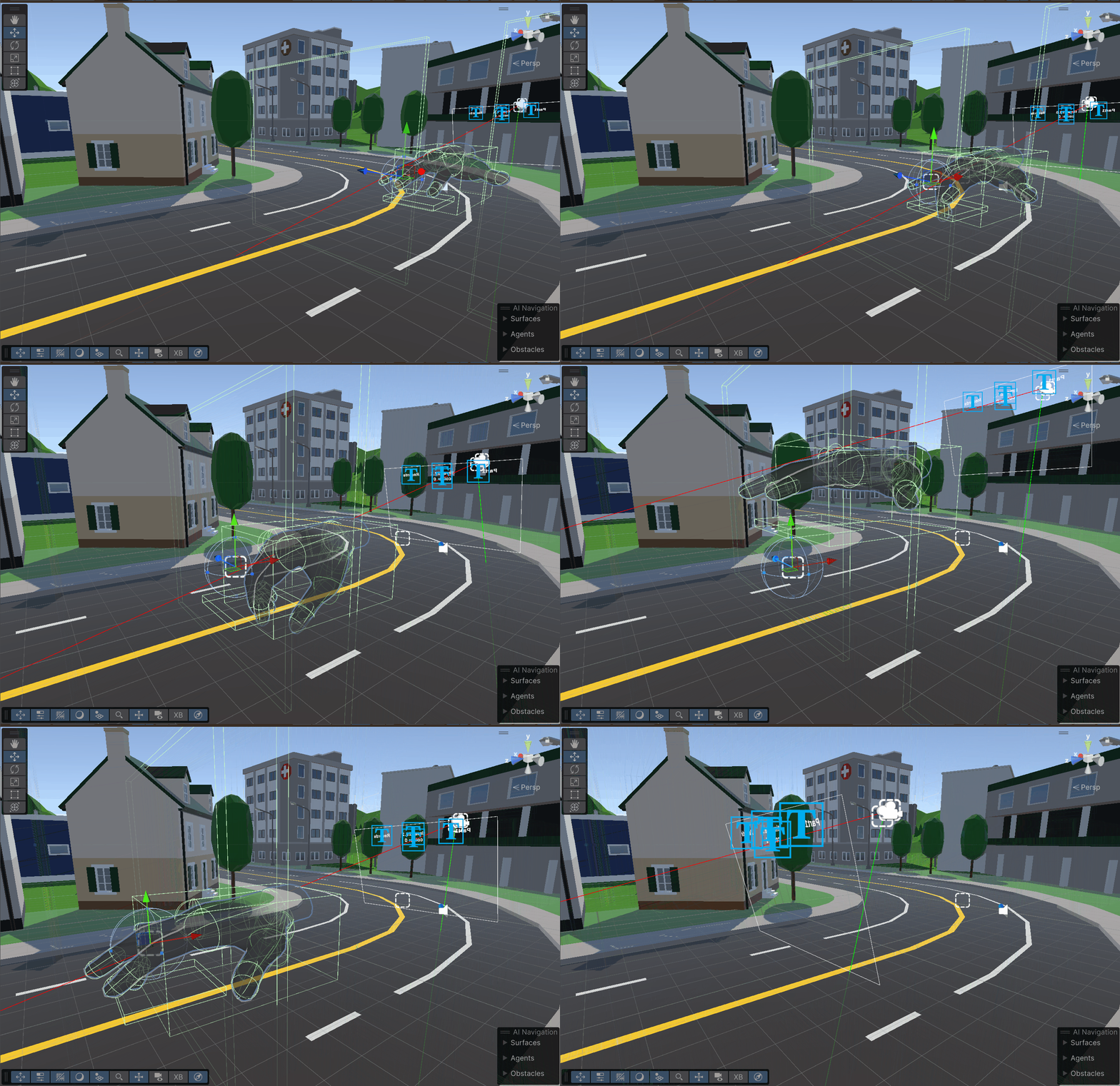
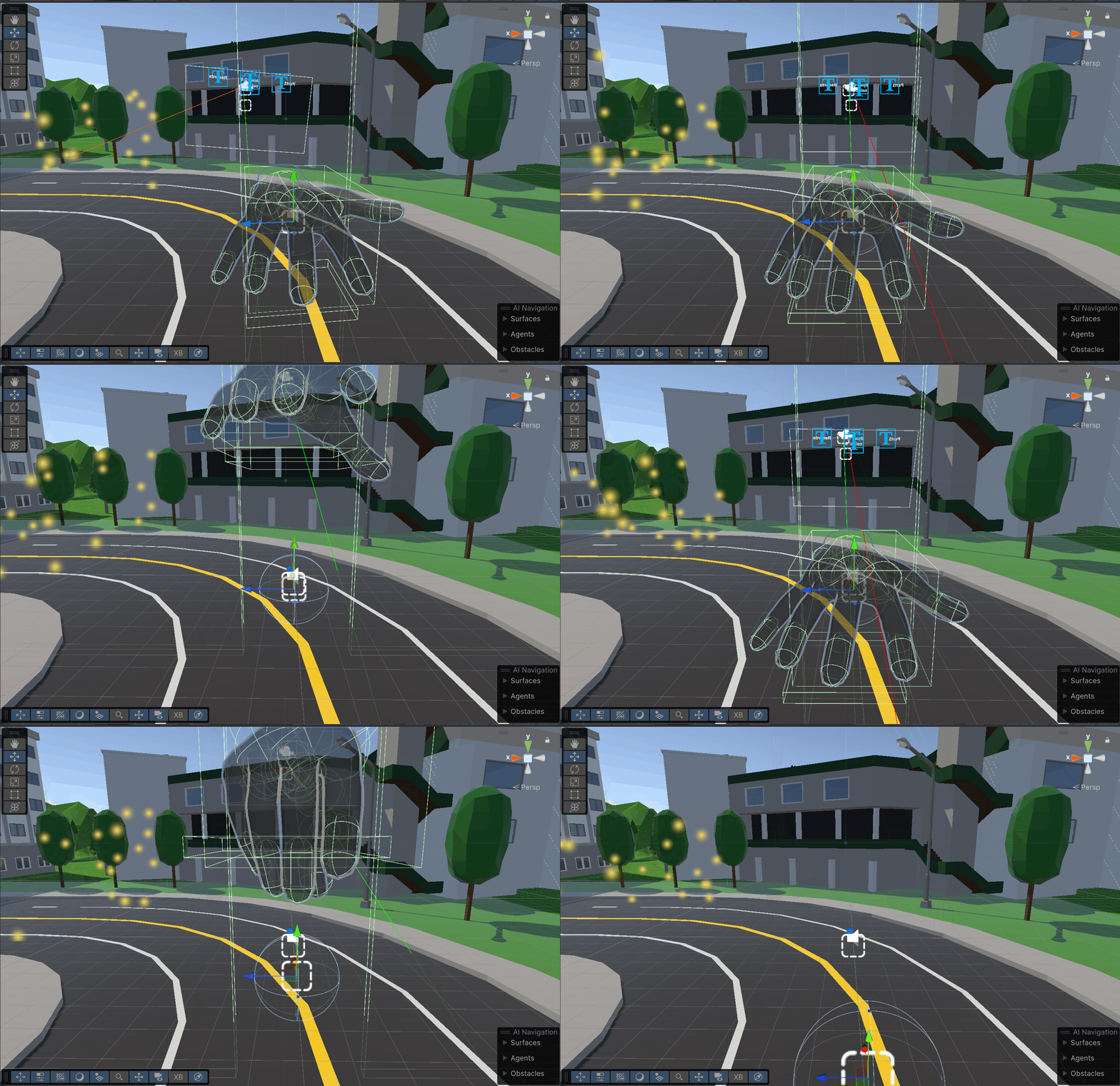
<p>Here you can get a better idea of the collision triggers and how the ray interacts with them.
<img src="/images/ChangingModes.gif" alt="" /></p>

<p>For the first version of this interaction mode, I had the moving hand be what you would use to interact with the task, but I had trouble refining its movement and ability to actualy grab and select things. Here you can see that the hand would just touch the buttons instantly and skip past the tasks.
<img src="/images/SelectionModeV1.gif" alt="" /></p>

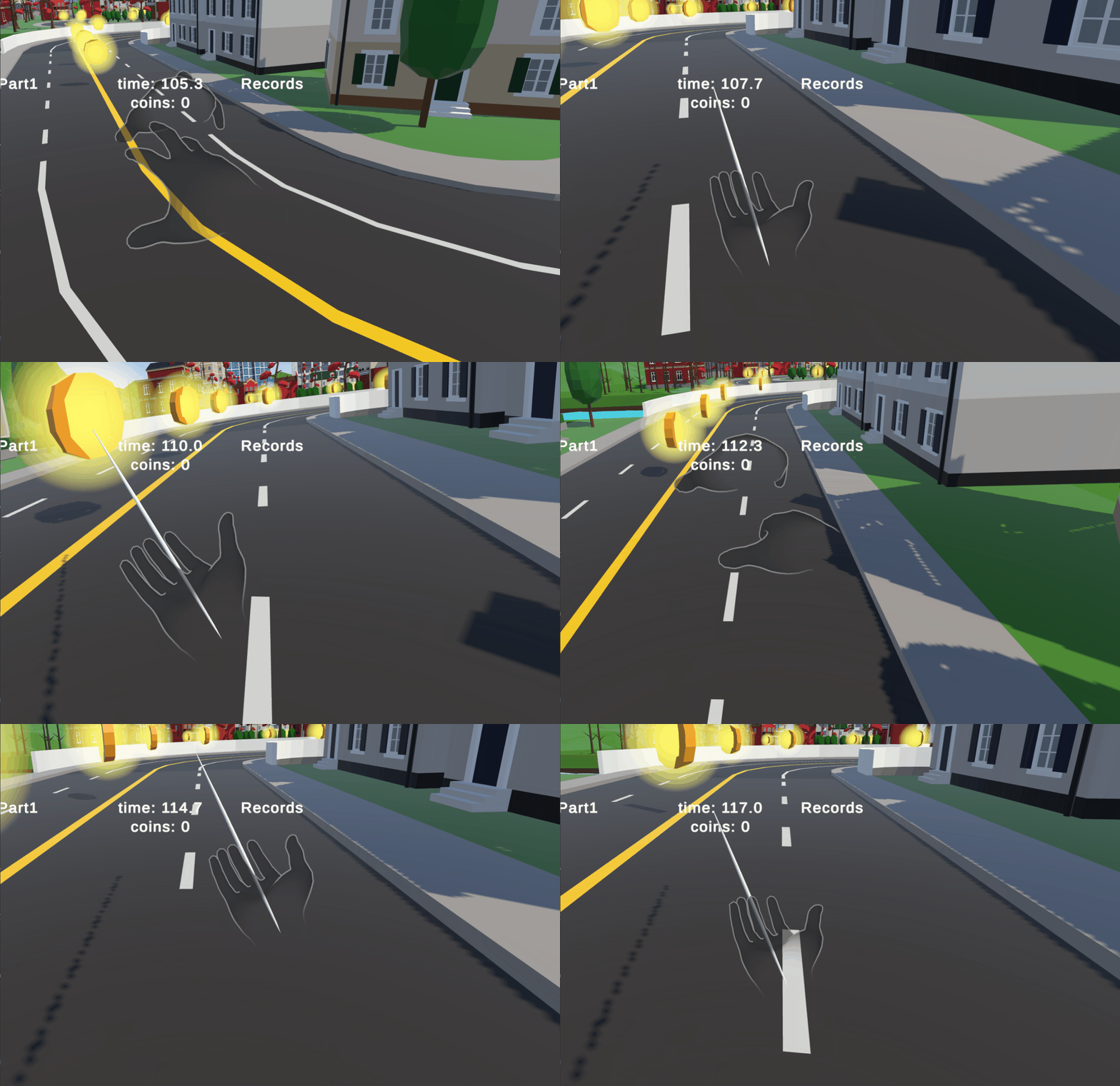
<p>I then decided that I would deactivate the large hand when you enter selection mode, and teleport the camera rig to where the hand was.
While in this state, the player would be able to see a long pole coming out of their right hand, and that pole allows the player to press the buttons and grab objects:
<img src="/images/SelectionModeV2.gif" alt="" /></p>

<p>Because of these new modes that the hand could be in, I had to go back to some of the previous methods and have them only work while in moving mode, as I didn’t want the player to be rotating while trying to do the interaction tasks.
Or have the large hand somehow walk away while they were doing a task.</p>

<p>In order to actually grab and interact with the tasks, I had to modify the MyGrab script that was already included in the parcour to work with the interaction mode.
The code that checked when an object entered a trigger collider was moved to a new script called triggerHandler, which would call to myGrab and feed it the object that the player is interacting with.
I had to do this because I was having trouble with selected objects not actually following the correct parent or even detecting that something was interacting with them.
The problem was that the game object that handles a players hand is layered in a way that the top most parent object doesn’t move exactly with the players real hand, so I had to go down a few layers and attach the script to the correct child.
With the game now actually detecting that the hand is trying to interact with something, I needed to be able to move the objects.
The OVRHand can automatically detect when a player is pinching their fingers, so I had it that when a player pinched their fingers on an object, it sets that object to be a child of the hand, and thus moves it with the hand.</p>
<div class="language-cs highlighter-rouge"><div class="highlight"><pre class="highlight"><code><span class="k">if</span> <span class="p">(</span><span class="n">locomotionTechnique</span> <span class="p">!=</span> <span class="k">null</span> <span class="p">&amp;&amp;</span> <span class="n">locomotionTechnique</span><span class="p">.</span><span class="n">currentMode</span> <span class="p">==</span> <span class="n">LocomotionTechnique</span><span class="p">.</span><span class="n">LocomotionMode</span><span class="p">.</span><span class="n">Selection</span><span class="p">)</span>
<span class="p">{</span>
    <span class="k">if</span> <span class="p">(</span><span class="n">isInCollider</span> <span class="p">&amp;&amp;</span> <span class="n">selectedObj</span> <span class="p">!=</span> <span class="k">null</span><span class="p">)</span>
    <span class="p">{</span>
        <span class="k">if</span> <span class="p">(!</span><span class="n">isSelected</span> <span class="p">&amp;&amp;</span> <span class="n">hand</span><span class="p">.</span><span class="nf">GetFingerIsPinching</span><span class="p">(</span><span class="n">OVRHand</span><span class="p">.</span><span class="n">HandFinger</span><span class="p">.</span><span class="n">Index</span><span class="p">))</span>
        <span class="p">{</span>
            <span class="n">isSelected</span> <span class="p">=</span> <span class="k">true</span><span class="p">;</span>
            <span class="n">selectedObj</span><span class="p">.</span><span class="n">transform</span><span class="p">.</span><span class="nf">SetParent</span><span class="p">(</span><span class="n">anchor</span><span class="p">.</span><span class="n">transform</span><span class="p">,</span> <span class="k">true</span><span class="p">);</span>
        <span class="p">}</span>
        <span class="k">else</span> <span class="k">if</span> <span class="p">(</span><span class="n">isSelected</span> <span class="p">&amp;&amp;</span> <span class="p">!</span><span class="n">hand</span><span class="p">.</span><span class="nf">GetFingerIsPinching</span><span class="p">(</span><span class="n">OVRHand</span><span class="p">.</span><span class="n">HandFinger</span><span class="p">.</span><span class="n">Index</span><span class="p">))</span>
        <span class="p">{</span>
            <span class="n">isSelected</span> <span class="p">=</span> <span class="k">false</span><span class="p">;</span>
            <span class="n">selectedObj</span><span class="p">.</span><span class="n">transform</span><span class="p">.</span><span class="nf">SetParent</span><span class="p">(</span><span class="k">null</span><span class="p">,</span> <span class="k">true</span><span class="p">);</span>
        <span class="p">}</span>
    <span class="p">}</span>
<span class="p">}</span>
</code></pre></div></div>
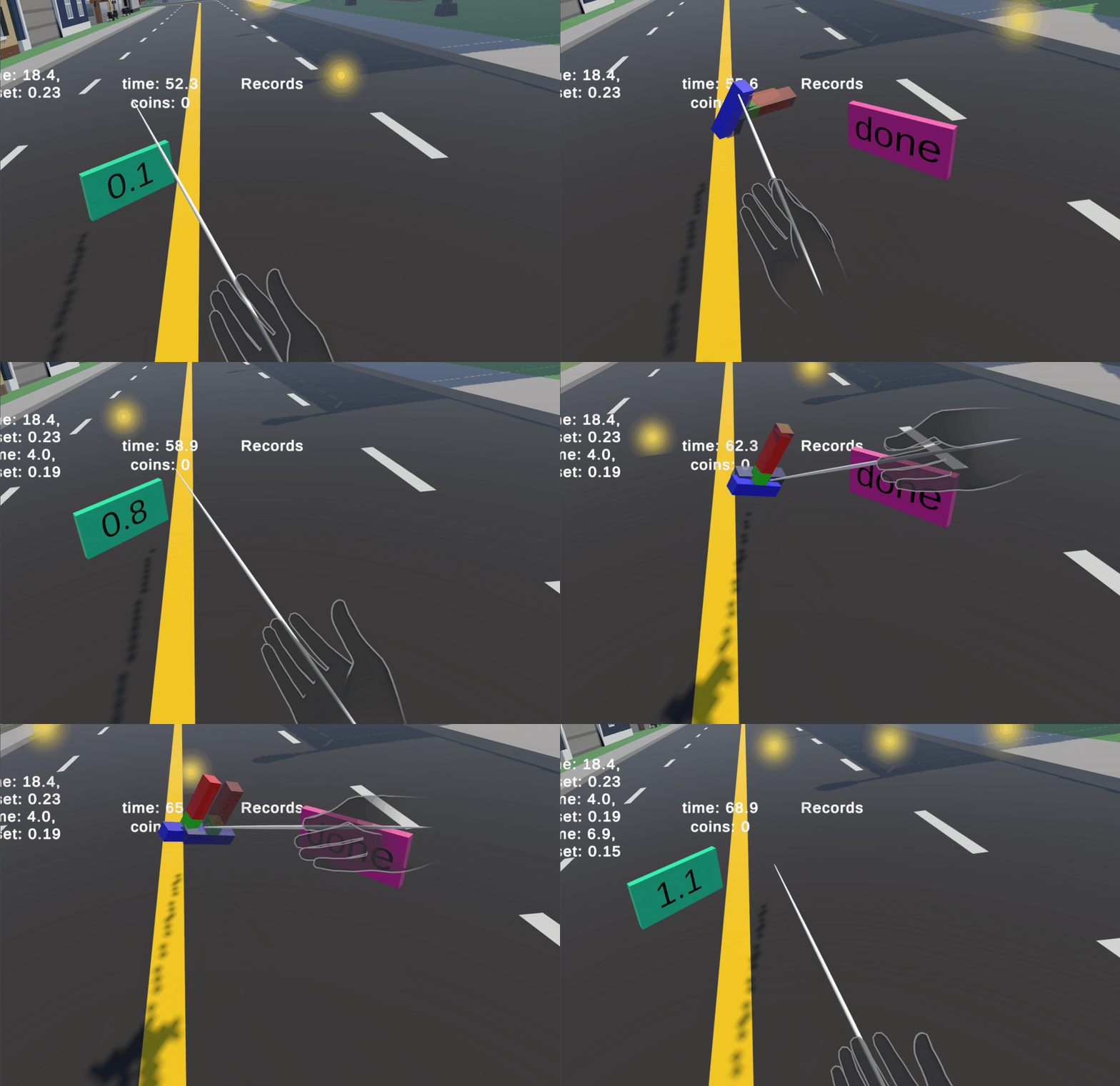
<p>Here you can see me trying to orient an object in the correct direction. My hands are fairly shakey so I have a hard time getting it correct, but that is also a flaw with my implementation. The raw hand tracking isn’t fine enough to use, and I needed to smooth it out more.
<img src="/images/ObjectTask1.gif" alt="" /></p>

<p>You can enter move mode and get closer then go back to interaction mode, which helps a bit in getting it correct. But it is still possible to reorient an object in any way, you just need to grab the object from different angles and distances.
<img src="/images/ObjectTask2.gif" alt="" /></p>]]></content><author><name>Samuel Brooks</name></author><category term="Project" /><category term="IVRAR" /><category term="Computer Science" /><summary type="html"><![CDATA[The player can now move around the map with just movements of their hand, but how can they interact with the required tasks?]]></summary></entry><entry><title type="html">Implementation - Moving Hands</title><link href="https://samforrestb.github.io//Moving-Hands/" rel="alternate" type="text/html" title="Implementation - Moving Hands" /><published>2025-01-30T00:00:00+00:00</published><updated>2025-01-30T00:00:00+00:00</updated><id>https://samforrestb.github.io//Moving-Hands</id><content type="html" xml:base="https://samforrestb.github.io//Moving-Hands/"><![CDATA[<p>With the camera following our hand, and the player able to rotate, its time to actually move.
I first started by trying to use purely the force of the players actual hand to move around, meaning that the player would need to push their fingers against the ground to gain tracktion and move forward.
The hands already came with all the capsule colliders needed to give collision to the hand, and when first testing, you could slightly move forward by flopping around.
But because we have to lock the root of the hand so that it doesn’t teleport back to where the players real hand is, the hand can’t really pose itself in any manner that would assist in moving it.
The palm is basically locked, but if we wanted to actually make some movement it would need to be able to move freely, which I sadly wasn’t able to get to work.</p>

<p>What I had to do instead was just create a box collider that is roughly the size of the hand, and we would just move that around the track.
I still wanted the player to move their fingers in order to move forward, so I used the same idea that I used for detecting the head rotating: Make a trigger collider where when a finger enters it, the hand moves forward.
I added new tags to the capsule colliders on each fingertip, and then begun working on the scripting for the movement. This would be another new method in the locomotion technique script.</p>

<p>First we would keep track of what fingers have entered the collider, and what time that they entered:</p>
<div class="language-cs highlighter-rouge"><div class="highlight"><pre class="highlight"><code> <span class="n">HashSet</span><span class="p">&lt;</span><span class="n">Collider</span><span class="p">&gt;</span> <span class="n">activeFingers</span> <span class="p">=</span> <span class="k">new</span> <span class="n">HashSet</span><span class="p">&lt;</span><span class="n">Collider</span><span class="p">&gt;();</span>
 <span class="k">foreach</span> <span class="p">(</span><span class="n">Collider</span> <span class="n">collider</span> <span class="k">in</span> <span class="n">colliders</span><span class="p">)</span>
 <span class="p">{</span>
     <span class="k">if</span> <span class="p">(</span><span class="n">collider</span><span class="p">.</span><span class="nf">CompareTag</span><span class="p">(</span><span class="s">"FingerTip"</span><span class="p">))</span>
     <span class="p">{</span>
         <span class="n">activeFingers</span><span class="p">.</span><span class="nf">Add</span><span class="p">(</span><span class="n">collider</span><span class="p">);</span>

         <span class="c1">// Record the entry time if the finger is new</span>
         <span class="k">if</span> <span class="p">(!</span><span class="n">fingerEntryTimes</span><span class="p">.</span><span class="nf">ContainsKey</span><span class="p">(</span><span class="n">collider</span><span class="p">))</span>
         <span class="p">{</span>
             <span class="n">fingerEntryTimes</span><span class="p">[</span><span class="n">collider</span><span class="p">]</span> <span class="p">=</span> <span class="n">Time</span><span class="p">.</span><span class="n">time</span><span class="p">;</span>
         <span class="p">}</span>
     <span class="p">}</span>
 <span class="p">}</span>
</code></pre></div></div>
<p>This would be so that we can compare the time the finger entered with the set time that the finger is allowed to keep accelerating the hand:</p>
<div class="language-cs highlighter-rouge"><div class="highlight"><pre class="highlight"><code><span class="kt">float</span> <span class="n">targetSpeed</span> <span class="p">=</span> <span class="m">0</span><span class="p">;</span>
<span class="k">foreach</span> <span class="p">(</span><span class="kt">var</span> <span class="n">finger</span> <span class="k">in</span> <span class="n">fingerEntryTimes</span><span class="p">.</span><span class="n">Keys</span><span class="p">)</span>
<span class="p">{</span>
    <span class="k">if</span> <span class="p">(</span><span class="n">Time</span><span class="p">.</span><span class="n">time</span> <span class="p">-</span> <span class="n">fingerEntryTimes</span><span class="p">[</span><span class="n">finger</span><span class="p">]</span> <span class="p">&lt;=</span> <span class="n">fingerAccelerationTime</span><span class="p">)</span>
    <span class="p">{</span>
        <span class="n">targetSpeed</span> <span class="p">+=</span> <span class="n">maxSpeed</span> <span class="p">/</span> <span class="n">fingerDetectionThreshold</span><span class="p">;</span>
    <span class="p">}</span>
<span class="p">}</span>
<span class="n">targetSpeed</span> <span class="p">=</span> <span class="n">Mathf</span><span class="p">.</span><span class="nf">Clamp</span><span class="p">(</span><span class="n">targetSpeed</span><span class="p">,</span> <span class="m">0</span><span class="p">,</span> <span class="n">maxSpeed</span><span class="p">);</span>
</code></pre></div></div>
<p>This time limit that each finger has to accelerate the hand was added because the player could just hold their hand in a fist and move around the map, which was not what I intended.</p>

<p><img src="/images/MovingFist.gif" alt="" /></p>

<p>After the target speed is determined, we pass it into another method called MoveHandSmoothly. This would actually transform the position of the hand based on the given target speed:</p>
<div class="language-cs highlighter-rouge"><div class="highlight"><pre class="highlight"><code> <span class="kt">float</span> <span class="n">speedDifference</span> <span class="p">=</span> <span class="n">targetSpeed</span> <span class="p">-</span> <span class="n">currentSpeed</span><span class="p">;</span>

 <span class="k">if</span> <span class="p">(</span><span class="n">fingerDetected</span><span class="p">)</span> 
 <span class="p">{</span>
     <span class="n">currentSpeed</span> <span class="p">+=</span> <span class="n">Mathf</span><span class="p">.</span><span class="nf">Sign</span><span class="p">(</span><span class="n">speedDifference</span><span class="p">)</span> <span class="p">*</span> <span class="n">acceleration</span> <span class="p">*</span> <span class="n">Time</span><span class="p">.</span><span class="n">deltaTime</span><span class="p">;</span>
     <span class="n">currentSpeed</span> <span class="p">=</span> <span class="n">Mathf</span><span class="p">.</span><span class="nf">Clamp</span><span class="p">(</span><span class="n">currentSpeed</span><span class="p">,</span> <span class="m">0</span><span class="p">,</span> <span class="n">maxSpeed</span><span class="p">);</span> 
 <span class="p">}</span>
 <span class="k">else</span> 
 <span class="p">{</span>
     <span class="n">currentSpeed</span> <span class="p">+=</span> <span class="n">Mathf</span><span class="p">.</span><span class="nf">Sign</span><span class="p">(</span><span class="n">speedDifference</span><span class="p">)</span> <span class="p">*</span> <span class="n">deceleration</span> <span class="p">*</span> <span class="n">Time</span><span class="p">.</span><span class="n">deltaTime</span><span class="p">;</span>
     <span class="n">currentSpeed</span> <span class="p">=</span> <span class="n">Mathf</span><span class="p">.</span><span class="nf">Clamp</span><span class="p">(</span><span class="n">currentSpeed</span><span class="p">,</span> <span class="m">0</span><span class="p">,</span> <span class="n">maxSpeed</span><span class="p">);</span> 
 <span class="p">}</span>

 <span class="n">transform</span><span class="p">.</span><span class="n">position</span> <span class="p">+=</span> <span class="n">moveDirection</span> <span class="p">*</span> <span class="n">currentSpeed</span> <span class="p">*</span> <span class="n">Time</span><span class="p">.</span><span class="n">deltaTime</span><span class="p">;</span>
</code></pre></div></div>

<p>But it would also slow the hand down when no fingers are detected:</p>
<div class="language-cs highlighter-rouge"><div class="highlight"><pre class="highlight"><code> <span class="k">else</span> <span class="k">if</span> <span class="p">(!</span><span class="n">fingerDetected</span> <span class="p">&amp;&amp;</span> <span class="n">_currentSpeed</span> <span class="p">&gt;</span> <span class="m">0</span><span class="p">)</span>
<span class="p">{</span>
    <span class="kt">float</span> <span class="n">speedDifference</span> <span class="p">=</span> <span class="n">targetSpeed</span> <span class="p">-</span> <span class="n">_currentSpeed</span><span class="p">;</span>
    <span class="n">currentSpeed</span> <span class="p">+=</span> <span class="n">Mathf</span><span class="p">.</span><span class="nf">Sign</span><span class="p">(</span><span class="n">speedDifference</span><span class="p">)</span> <span class="p">*</span> <span class="n">deceleration</span> <span class="p">*</span> <span class="n">Time</span><span class="p">.</span><span class="n">deltaTime</span><span class="p">;</span>
    <span class="n">currentSpeed</span> <span class="p">=</span> <span class="n">Mathf</span><span class="p">.</span><span class="nf">Clamp</span><span class="p">(</span><span class="n">currentSpeed</span><span class="p">,</span> <span class="m">0</span><span class="p">,</span> <span class="n">maxSpeed</span><span class="p">);</span> 
    <span class="n">transform</span><span class="p">.</span><span class="n">position</span> <span class="p">+=</span> <span class="n">moveDirection</span> <span class="p">*</span> <span class="n">currentSpeed</span> <span class="p">*</span> <span class="n">Time</span><span class="p">.</span><span class="n">deltaTime</span><span class="p">;</span>
<span class="p">}</span>
<span class="k">else</span> <span class="k">if</span> <span class="p">(!</span><span class="n">fingerDetected</span> <span class="p">&amp;&amp;</span> <span class="n">currentSpeed</span> <span class="p">==</span> <span class="m">0</span><span class="p">)</span>
<span class="p">{</span>
    <span class="n">moveDirection</span> <span class="p">=</span> <span class="n">Vector3</span><span class="p">.</span><span class="n">zero</span><span class="p">;</span>
<span class="p">}</span>
</code></pre></div></div>

<p>Here you can see the fixed movement, where the player must keep moving their fingers if they want to move fast around the course.</p>

<p><img src="/images/FixedMovement.gif" alt="" /></p>

<p>And here is a better look at the colliders that are used to move the hand.</p>

<p><img src="/images/ColliderMovement.gif" alt="" /></p>

<p>Now that the hand is able to run around the course, it also needs to be able to jump, as some of the coins at the end of the course are in the air.
What I decided to do was check when all the fingers are within the collision box, and then when the player fans out their hand, it adds upwards force to the hand.
I needed to track the time when all fingers are inside the box, and then check if they left in a certain amount of time to trigger the jump:</p>
<div class="language-cs highlighter-rouge"><div class="highlight"><pre class="highlight"><code><span class="k">if</span> <span class="p">(</span><span class="n">activeFingers</span><span class="p">.</span><span class="n">Count</span> <span class="p">==</span> <span class="n">fingerDetectionThreshold</span><span class="p">)</span> 
<span class="p">{</span>
    <span class="n">allFingersInTime</span> <span class="p">=</span> <span class="n">Time</span><span class="p">.</span><span class="n">time</span><span class="p">;</span> 
<span class="p">}</span>
<span class="k">else</span> <span class="k">if</span> <span class="p">(</span><span class="n">activeFingers</span><span class="p">.</span><span class="n">Count</span> <span class="p">==</span> <span class="m">0</span> <span class="p">&amp;&amp;</span> <span class="n">allFingersInTime</span> <span class="p">!=</span> <span class="p">-</span><span class="m">1f</span> <span class="p">&amp;&amp;</span> <span class="n">Time</span><span class="p">.</span><span class="n">time</span> <span class="p">-</span> <span class="n">allFingersInTime</span> <span class="p">&lt;=</span> <span class="n">jumpTimeThreshold</span><span class="p">)</span>
<span class="p">{</span>
    <span class="n">hand</span><span class="p">.</span><span class="n">GetComponent</span><span class="p">&lt;</span><span class="n">Rigidbody</span><span class="p">&gt;().</span><span class="nf">AddForce</span><span class="p">(</span><span class="n">Vector3</span><span class="p">.</span><span class="n">up</span> <span class="p">*</span> <span class="n">jumpForce</span><span class="p">,</span> <span class="n">ForceMode</span><span class="p">.</span><span class="n">Impulse</span><span class="p">);</span>
    <span class="n">allFingersInTime</span> <span class="p">=</span> <span class="p">-</span><span class="m">1f</span><span class="p">;</span> <span class="c1">// Reset the timer</span>
<span class="p">}</span>
<span class="k">else</span> <span class="k">if</span> <span class="p">(</span><span class="n">activeFingers</span><span class="p">.</span><span class="n">Count</span> <span class="p">==</span> <span class="m">0</span><span class="p">)</span>
<span class="p">{</span>
    <span class="n">allFingersInTime</span> <span class="p">=</span> <span class="p">-</span><span class="m">1f</span><span class="p">;</span> 
<span class="p">}</span>
</code></pre></div></div>

<p>Here you can see that when all the fingers leave the collider, the hand jumps up! This can be chained one after the other, so you can actually fly around if you want!
<img src="/images/HandJump.gif" alt="" /></p>]]></content><author><name>Samuel Brooks</name></author><category term="Project" /><category term="IVRAR" /><category term="Computer Science" /><summary type="html"><![CDATA[With the camera following our hand, and the player able to rotate, its time to actually move.]]></summary></entry><entry><title type="html">Implementation - The Basics</title><link href="https://samforrestb.github.io//Implementation-The-Basics/" rel="alternate" type="text/html" title="Implementation - The Basics" /><published>2025-01-29T00:00:00+00:00</published><updated>2025-01-29T00:00:00+00:00</updated><id>https://samforrestb.github.io//Implementation-The-Basics</id><content type="html" xml:base="https://samforrestb.github.io//Implementation-The-Basics/"><![CDATA[<p>After looking through the course, we can start getting to work on the basic foundations of our system. 
I first started by creating a duplicate of the right hand that was included in the OVRCameraRig. This would be our giant moving hand that would stomp around the city.
I then made sure to disable the left hand and controllers, so that the player is limited to only using their actual hand. I made sure to disable updates to the root of this new hand, so it would be stuck in place but still mimic the players real hand movements.</p>

<p>Since I want the camera to be following this hand as it is moving around the course, I first tried making the camera rig a child of the hand, but as I tested manually moving the hand around in the editor, the camera movement was way too stiff. 
It was almost making me sick, so I disconnected the camera from the hand, and decided on moving the camera with a script, so its more smooth and adjustable.</p>

<p>First I would create a offset position behind the hand that the camera would be moving to:</p>
<div class="language-cs highlighter-rouge"><div class="highlight"><pre class="highlight"><code><span class="n">Vector3</span> <span class="n">offset</span> <span class="p">=</span> <span class="p">-</span><span class="n">correctedForward</span> <span class="p">*</span> <span class="n">distance</span> <span class="p">+</span> <span class="n">correctedUp</span> <span class="p">*</span> <span class="n">height</span><span class="p">;</span>
<span class="n">targetPosition</span> <span class="p">=</span> <span class="n">hand</span><span class="p">.</span><span class="n">position</span> <span class="p">+</span> <span class="n">offset</span><span class="p">;</span>

<span class="n">transform</span><span class="p">.</span><span class="n">position</span> <span class="p">=</span> <span class="n">Vector3</span><span class="p">.</span><span class="nf">Lerp</span><span class="p">(</span><span class="n">transform</span><span class="p">.</span><span class="n">position</span><span class="p">,</span> <span class="n">targetPosition</span><span class="p">,</span> <span class="n">followSpeed</span> <span class="p">*</span> <span class="n">Time</span><span class="p">.</span><span class="n">deltaTime</span><span class="p">);</span>
</code></pre></div></div>

<p>Then I would get the rotation needed to look at the hand, and smoothly nudge the camera back to looking at it:</p>
<div class="language-cs highlighter-rouge"><div class="highlight"><pre class="highlight"><code><span class="n">Vector3</span> <span class="n">directionToWrist</span> <span class="p">=</span> <span class="n">wrist</span><span class="p">.</span><span class="n">position</span> <span class="p">-</span> <span class="n">transform</span><span class="p">.</span><span class="n">position</span><span class="p">;</span>
<span class="n">targetRotation</span> <span class="p">=</span> <span class="n">Quaternion</span><span class="p">.</span><span class="nf">LookRotation</span><span class="p">(</span><span class="n">directionToWrist</span><span class="p">,</span> <span class="n">correctedUp</span><span class="p">);</span>

<span class="n">transform</span><span class="p">.</span><span class="n">rotation</span> <span class="p">=</span> <span class="n">Quaternion</span><span class="p">.</span><span class="nf">Slerp</span><span class="p">(</span><span class="n">transform</span><span class="p">.</span><span class="n">rotation</span><span class="p">,</span> <span class="n">targetRotation</span><span class="p">,</span> <span class="n">rotationSpeed</span> <span class="p">*</span> <span class="n">Time</span><span class="p">.</span><span class="n">deltaTime</span><span class="p">);</span>
</code></pre></div></div>
<p>This now locked the camera to always be a set distance behind and above the hand, and always looking at it, but I still needed a way for the player to actually rotate the hand while they play.
I settled on making two colliders on either side of the hand, and raycasting from the center of the players head, so when they turn their head and hit one of the triggers, the hand begins rotating.
These two box colliders were made children of the hand game object, and given a tag to designate what side of the hand they were.
I needed to script the actual rotation, so I attached the locomotion technique script to the hand, and created a method that is called on update to handle rotation.
It would draw the ray, then check if it hit the correct trigger layer, and then act accordingly depending on if it was right or left.
Below is how it handles hitting the left rotation trigger, but it is the same idea for the right as well.</p>
<div class="language-cs highlighter-rouge"><div class="highlight"><pre class="highlight"><code><span class="k">if</span> <span class="p">(</span><span class="n">Physics</span><span class="p">.</span><span class="nf">Raycast</span><span class="p">(</span><span class="n">ray</span><span class="p">,</span> <span class="k">out</span> <span class="n">hit</span><span class="p">,</span> <span class="m">100f</span><span class="p">,</span> <span class="n">triggerLayer</span><span class="p">))</span>
<span class="p">{</span>
    <span class="k">if</span> <span class="p">(</span><span class="n">hit</span><span class="p">.</span><span class="n">collider</span><span class="p">.</span><span class="nf">CompareTag</span><span class="p">(</span><span class="s">"LeftRotationTrigger"</span><span class="p">))</span>
    <span class="p">{</span>
        <span class="n">_isRotatingLeft</span> <span class="p">=</span> <span class="k">true</span><span class="p">;</span>
        <span class="n">_isRotatingRight</span> <span class="p">=</span> <span class="k">false</span><span class="p">;</span>
    <span class="p">}</span>
<span class="p">}</span>   

<span class="k">if</span> <span class="p">(</span><span class="n">_isRotatingLeft</span><span class="p">)</span>
<span class="p">{</span>
    <span class="kt">float</span> <span class="n">rotationAmount</span> <span class="p">=</span> <span class="p">-</span><span class="n">rotationSpeed</span> <span class="p">*</span> <span class="n">Time</span><span class="p">.</span><span class="n">deltaTime</span><span class="p">;</span>
    <span class="n">transform</span><span class="p">.</span><span class="nf">Rotate</span><span class="p">(</span><span class="n">Vector3</span><span class="p">.</span><span class="n">up</span> <span class="p">*</span> <span class="n">rotationAmount</span><span class="p">);</span>
    <span class="n">hand</span><span class="p">.</span><span class="n">transform</span><span class="p">.</span><span class="n">rotation</span> <span class="p">=</span> <span class="n">_handRotationOffset</span> <span class="p">*</span> <span class="n">Quaternion</span><span class="p">.</span><span class="nf">Euler</span><span class="p">(</span><span class="m">0</span><span class="p">,</span> <span class="n">transform</span><span class="p">.</span><span class="n">eulerAngles</span><span class="p">.</span><span class="n">y</span><span class="p">,</span> <span class="m">0</span><span class="p">);</span>
<span class="p">}</span>
</code></pre></div></div>
<p>And because of the code we made to have the camera always follow the hand, it rotates with it as expected.
Here you can see it in action!
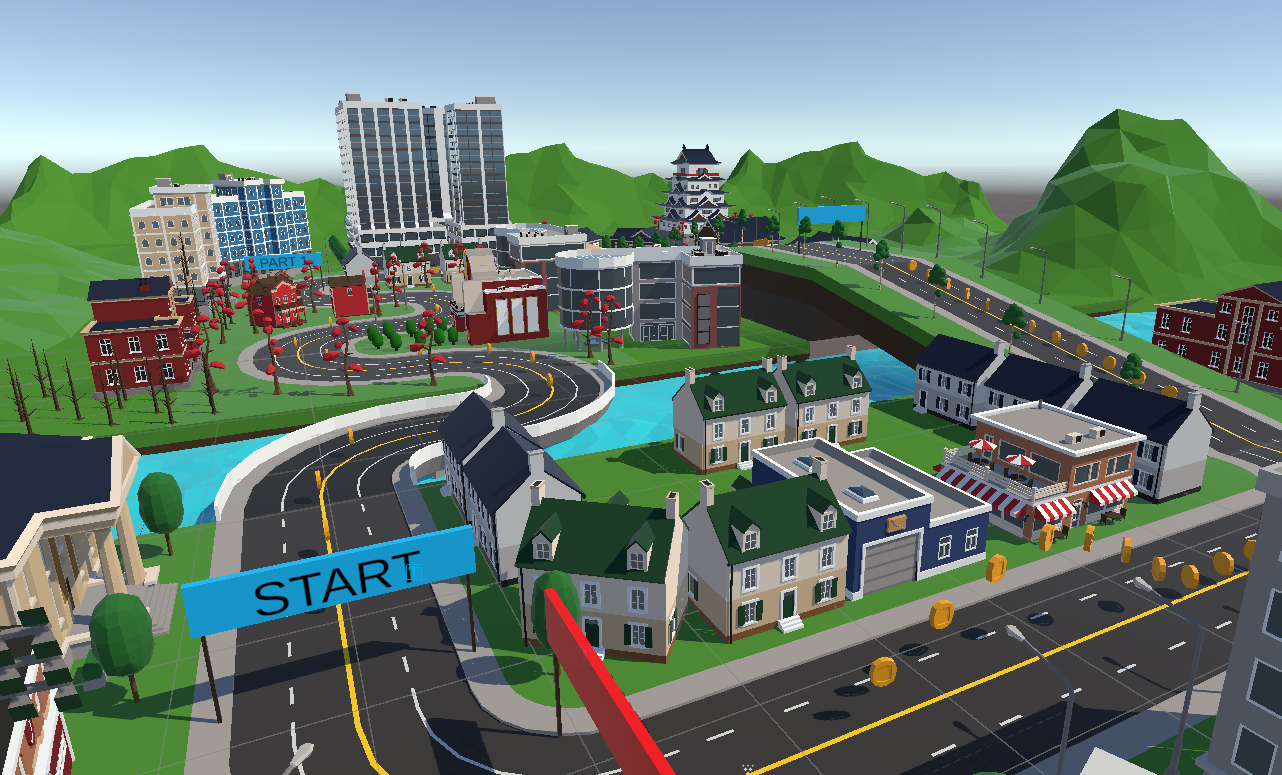
<img src="/images/HandRotation.gif" alt="" /></p>]]></content><author><name>Samuel Brooks</name></author><category term="Project" /><category term="IVRAR" /><category term="Computer Science" /><summary type="html"><![CDATA[After looking through the course, we can start getting to work on the basic foundations of our system.]]></summary></entry><entry><title type="html">Inpecting the Parkour - What are we interacting with?</title><link href="https://samforrestb.github.io//Inpecting-the-Parkour/" rel="alternate" type="text/html" title="Inpecting the Parkour - What are we interacting with?" /><published>2025-01-28T00:00:00+00:00</published><updated>2025-01-28T00:00:00+00:00</updated><id>https://samforrestb.github.io//Inpecting-the-Parkour</id><content type="html" xml:base="https://samforrestb.github.io//Inpecting-the-Parkour/"><![CDATA[<p>For the project, we were given a locomotion <a href="https://github.com/wenjietseng/VR-locomotion-parkour">course</a> to test our implementations on. You would run around a low-poly city, collecting coins and moving shapes until you did one full lap around the track. 
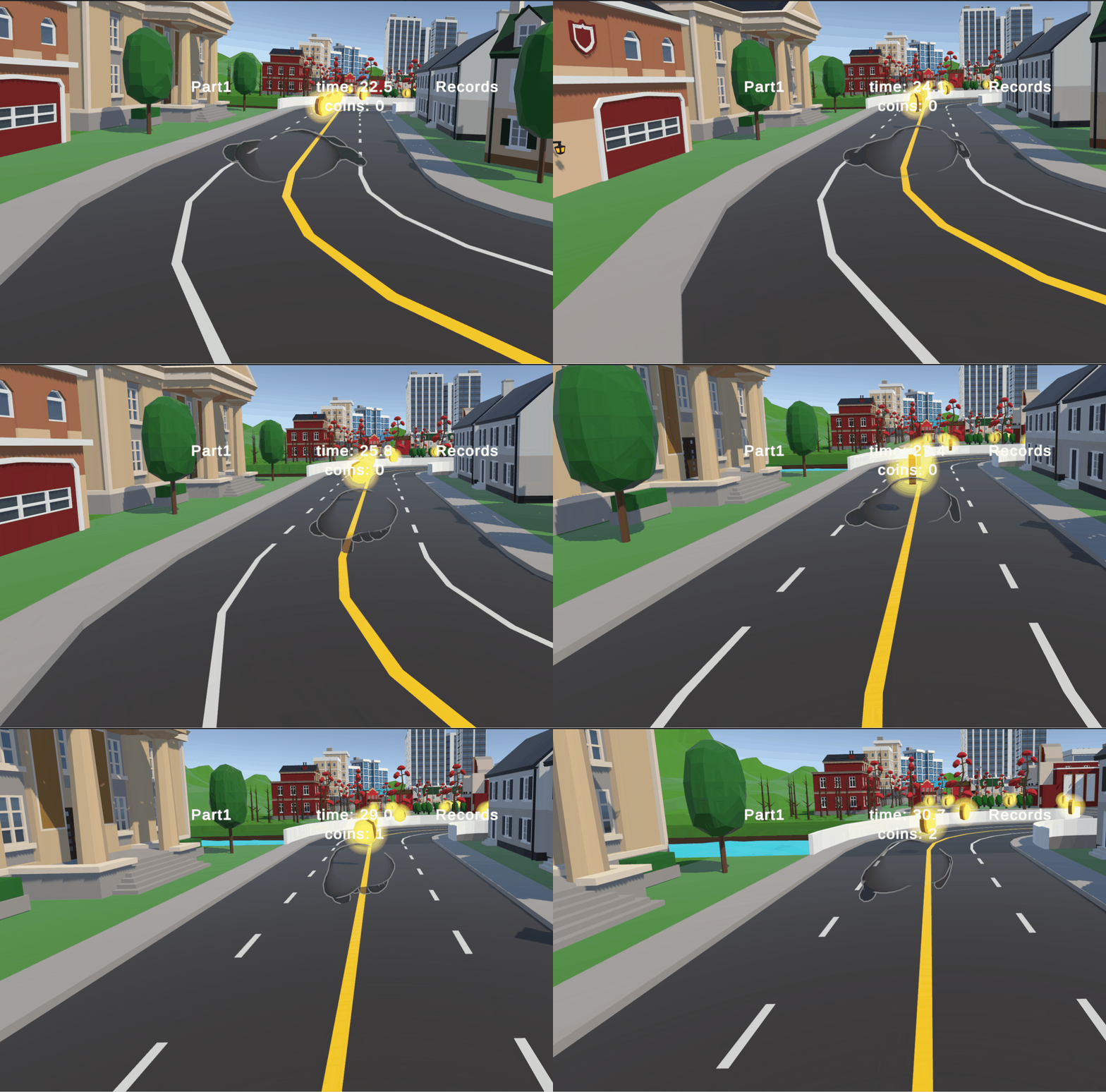
<img src="/images/parkour.png" alt="" /></p>

<p>Coins are scattered about, and the track isn’t just a straight line, so the player must have a way to alter their direction of movement. 
The track isn’t completely flat, so we must make sure the locomotion won’t break if we are at an incline. 
Some coins are in the air, so we need a way to reach those.
All of these must be taken into account while we develop the implementation.</p>

<p><img src="/images/parkourinteraction.png" alt="" /></p>

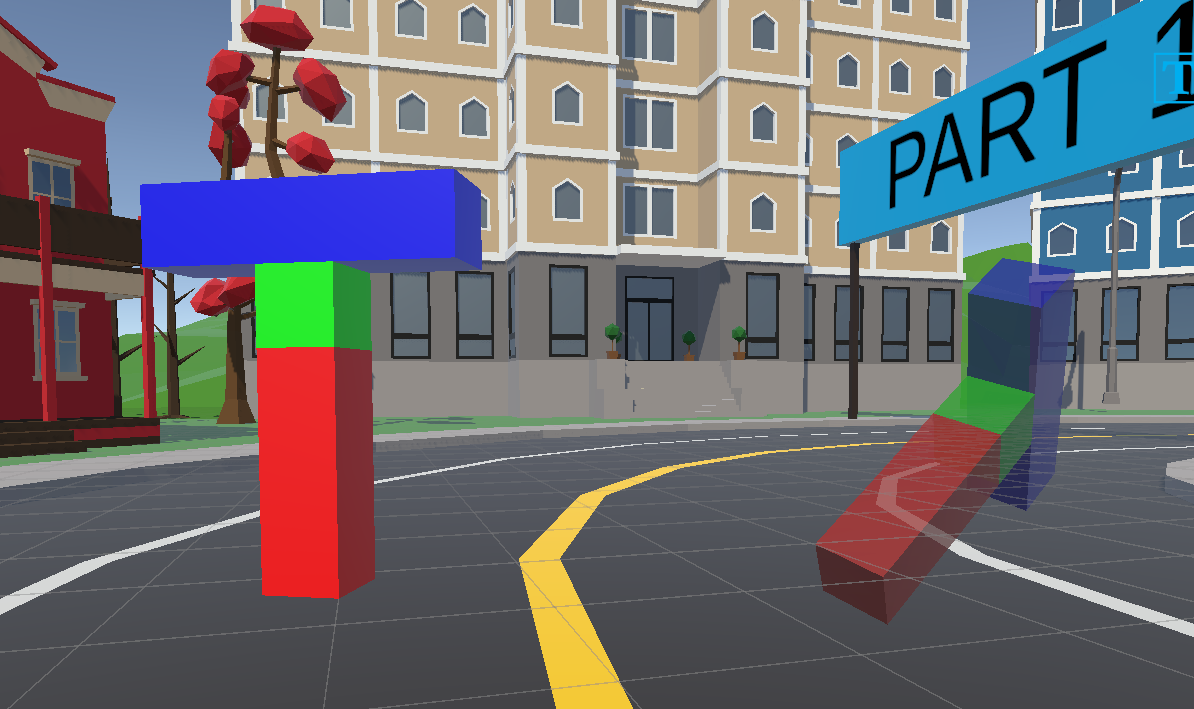
<p>There is also the selection task portion of the parkour, where a T-shaped block spawns and it must be oriented in the correct spot.
If we are having only one hand to work with, that is our main way to move around the game, how can we also have it be our main mode of object interaction?</p>]]></content><author><name>Samuel Brooks</name></author><category term="Project" /><category term="IVRAR" /><category term="Computer Science" /><summary type="html"><![CDATA[For the project, we were given a locomotion course to test our implementations on.]]></summary></entry><entry><title type="html">Thinking About Hands - What would be a cool VR interaction?</title><link href="https://samforrestb.github.io//Thinking-About-Hands/" rel="alternate" type="text/html" title="Thinking About Hands - What would be a cool VR interaction?" /><published>2025-01-27T00:00:00+00:00</published><updated>2025-01-27T00:00:00+00:00</updated><id>https://samforrestb.github.io//Thinking-About-Hands</id><content type="html" xml:base="https://samforrestb.github.io//Thinking-About-Hands/"><![CDATA[<p>In VR, we can do a lot of things that you can’t do in real life.</p>

<p>You can fly, teleport, pilot giant machines, transform into different forms, etc etc etc.</p>

<p>Of course, many of these things have been done over and over, and with the IARVR project, we need to come up with something unique that isn’t just the first thing that comes to mind.</p>

<p>So the first thing I started doing was thinking, ‘what is something I don’t see in VR games that I would want to experiment with?’ What I thought of first was recording movement and gestures, and then assigning them to inputs that would replay those actions.
I imagined a small control room where to your left you would record yourself, lets say grabbing an item, and then you would take a floppy disk of that action and slide in into a main control pannel. This pannel would have multiple buttons, switches, levers, and slots so the player could choose what goes where.
Outside of this control room, we would see the robot that all these recorded movements are affecting, and that would be the game. Piloting this robot through replays and tank controls. You would move the legs with two levers like Plankton in Spongebob, you could rotate the body with a big handwheel, but anything with its arms would need to be recorded.</p>

<p>I Liked the idea, but then I started going through everything I would need to implement it. Recording the player, saving those movements, playing BACK those recordings on a different model. I tried messing around with the Unity Animation Recorder, but I was having trouble translating the movements of my hands from the animation file to a kinematic humanoid. If I spent more time playing around with it, i’m sure I could get something to work, but I wanted to experiment more.</p>

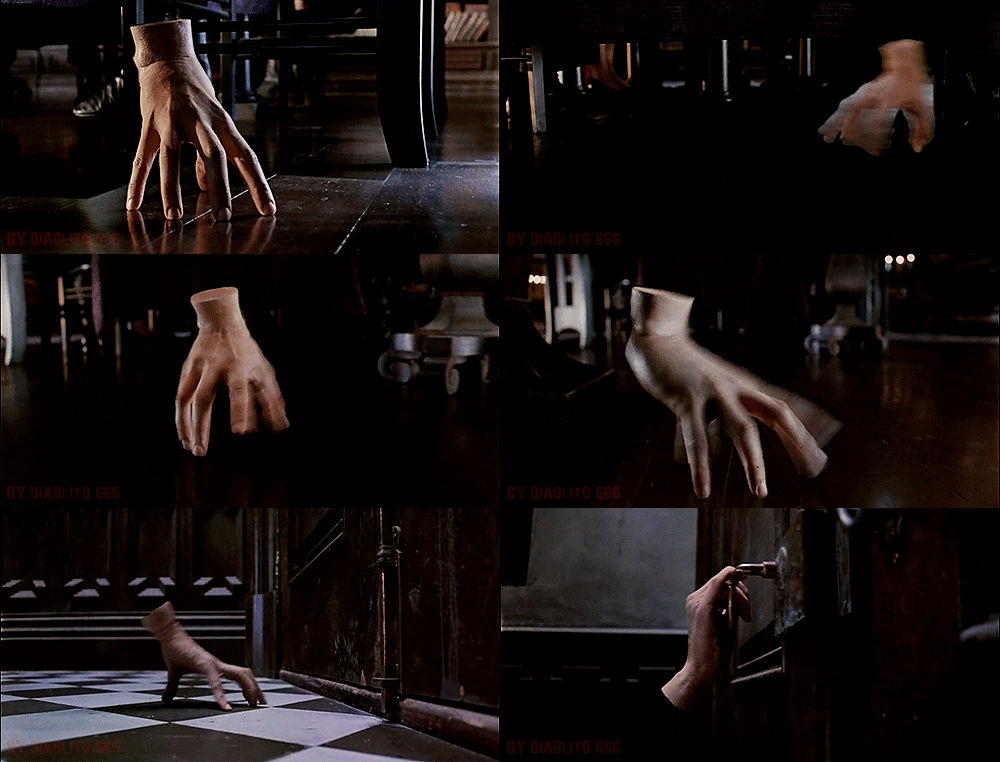
<p>My next idea came to me while I was messing around with the no-controller mode on the Quest 3. What if you could pilot your hand like Thing from the Addams Family? Have it skitter and crawl around an environment?
<img src="/images/thething.gif" alt="" /></p>

<p>I would have a seperate ridgidbody hand that mimics exactly what your hand is doing, and what I wanted was for it to be moved through pure physics. It would be a challenge to get it moving and steady, and take a good amount of work to master.
The player would also need to be able to interact with the environment, and since we would already be using the right hand for movement, what if it could switch between moving around and grabbing things?</p>

<p>This would become my core principle of the project. Purely with the hand tracking data of a player’s right hand, they should be able to do anything needed by the game with only that one hand.</p>
<h3 id="but-how-can-we-design-a-vr-locomotion-and-interaction-technique-that-utilizes-only-one-hand-and-is-intuitive-to-the-player">But how can we design a VR locomotion and interaction technique that utilizes only one hand, and is intuitive to the player?</h3>
<p>This is what I would be asking myself throughout the project and while I implement the way the hand would move and interact with the game.</p>]]></content><author><name>Samuel Brooks</name></author><category term="Project" /><category term="IVRAR" /><category term="Computer Science" /><summary type="html"><![CDATA[In VR, we can do a lot of things that you can't do in real life.]]></summary></entry><entry><title type="html">Building the Website - Finally getting to work</title><link href="https://samforrestb.github.io//Building-the-Website/" rel="alternate" type="text/html" title="Building the Website - Finally getting to work" /><published>2025-01-21T00:00:00+00:00</published><updated>2025-01-21T00:00:00+00:00</updated><id>https://samforrestb.github.io//Building-the-Website</id><content type="html" xml:base="https://samforrestb.github.io//Building-the-Website/"><![CDATA[<p>I’ve been putting it off for so long but its time to finally get this website up and running.</p>

<p>Using my available github page, I’ve forked the <a href="https://github.com/amitmerchant1990/reverie">Reverie</a>, which is a <a href="https://jekyllrb.com/">Jekyll</a>-powered theme that helps give the blog some formatting and has a bunch of build in things.</p>

<p>Hopefully, this should make it to where formatting on mobile and on the computer isn’t a pain, and that adding new blog posts is smooth.</p>

<p>In order to upload the gifs and videos for my posts I ended up having to download Github Desktop and set up Github Large File Storage for the repository, which ended up being harder than I thought because this repo was a fork. 
For some reason, large file storage doesn’t work on forks of public repositories, so I had to disconnect this fork from the original repo, and only then could I upload the large files I needed to upload.
Other than that hiccup, this has exposed me to more of the github ecosystem, something that I desperately need to familiarize myself with if I am to continue developing VR applications in the future.</p>]]></content><author><name>Samuel Brooks</name></author><category term="Project" /><category term="IVRAR" /><category term="Computer Science" /><summary type="html"><![CDATA[I've been putting it off for so long but its time to finally get this website up and running.]]></summary></entry></feed>