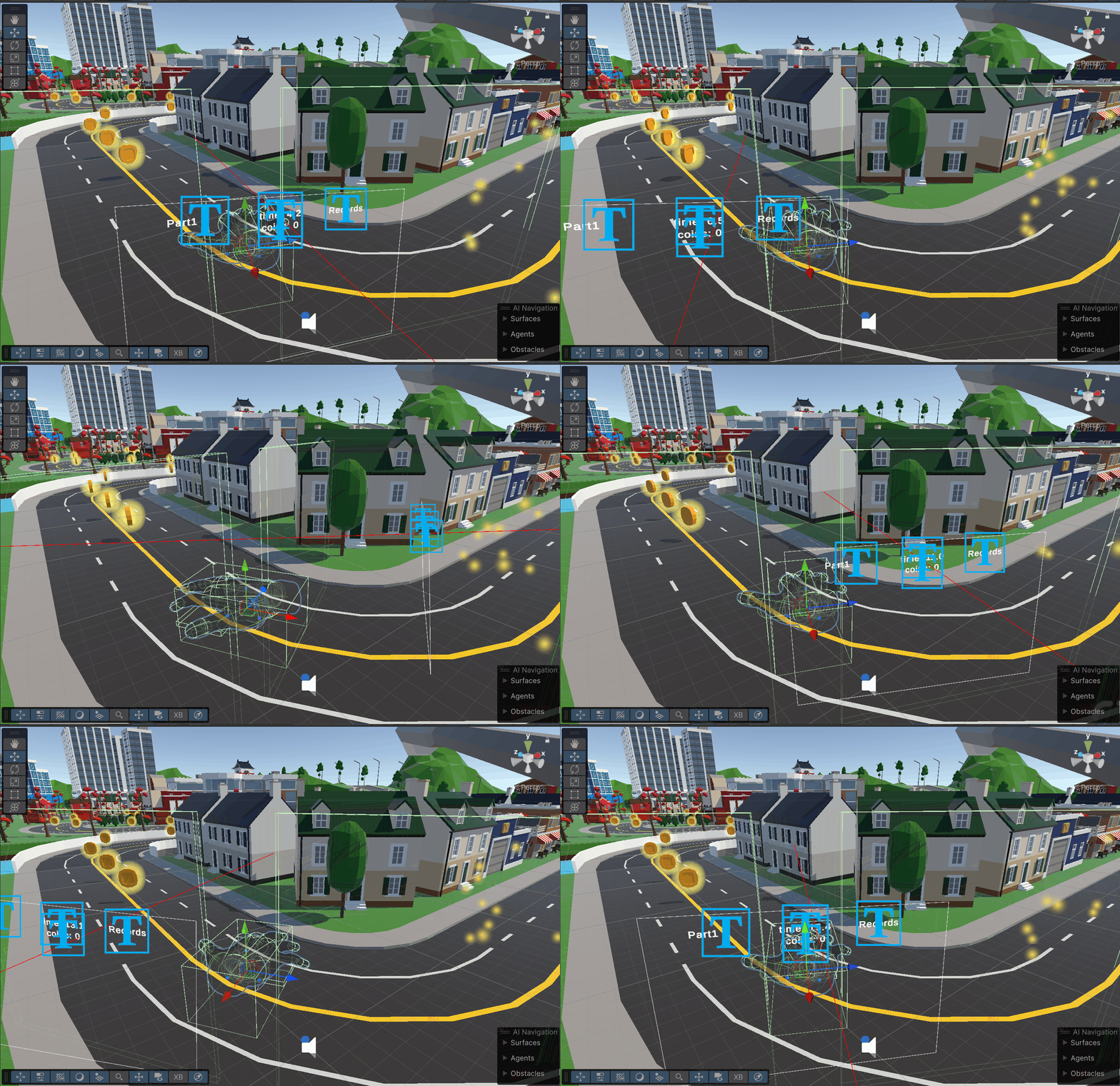
After looking through the course, we can start getting to work on the basic foundations of our system. I first started by creating a duplicate of the right hand that was included in the OVRCameraRig. This would be our giant moving hand that would stomp around the city. I then made sure to disable the left hand and controllers, so that the player is limited to only using their actual hand. I made sure to disable updates to the root of this new hand, so it would be stuck in place but still mimic the players real hand movements.
Since I want the camera to be following this hand as it is moving around the course, I first tried making the camera rig a child of the hand, but as I tested manually moving the hand around in the editor, the camera movement was way too stiff. It was almost making me sick, so I disconnected the camera from the hand, and decided on moving the camera with a script, so its more smooth and adjustable.
First I would create a offset position behind the hand that the camera would be moving to:
Vector3 offset = -correctedForward * distance + correctedUp * height;
targetPosition = hand.position + offset;

transform.position = Vector3.Lerp(transform.position, targetPosition, followSpeed * Time.deltaTime);
Then I would get the rotation needed to look at the hand, and smoothly nudge the camera back to looking at it:
Vector3 directionToWrist = wrist.position - transform.position;
targetRotation = Quaternion.LookRotation(directionToWrist, correctedUp);

transform.rotation = Quaternion.Slerp(transform.rotation, targetRotation, rotationSpeed * Time.deltaTime);
This now locked the camera to always be a set distance behind and above the hand, and always looking at it, but I still needed a way for the player to actually rotate the hand while they play. I settled on making two colliders on either side of the hand, and raycasting from the center of the players head, so when they turn their head and hit one of the triggers, the hand begins rotating. These two box colliders were made children of the hand game object, and given a tag to designate what side of the hand they were. I needed to script the actual rotation, so I attached the locomotion technique script to the hand, and created a method that is called on update to handle rotation. It would draw the ray, then check if it hit the correct trigger layer, and then act accordingly depending on if it was right or left. Below is how it handles hitting the left rotation trigger, but it is the same idea for the right as well.
if (Physics.Raycast(ray, out hit, 100f, triggerLayer))
{
    if (hit.collider.CompareTag("LeftRotationTrigger"))
    {
        _isRotatingLeft = true;
        _isRotatingRight = false;
    }
}

if (_isRotatingLeft)
{
    float rotationAmount = -rotationSpeed * Time.deltaTime;
    transform.Rotate(Vector3.up * rotationAmount);
    hand.transform.rotation = _handRotationOffset * Quaternion.Euler(0, transform.eulerAngles.y, 0);
}
And because of the code we made to have the camera always follow the hand, it rotates with it as expected.
Here you can see it in action!